
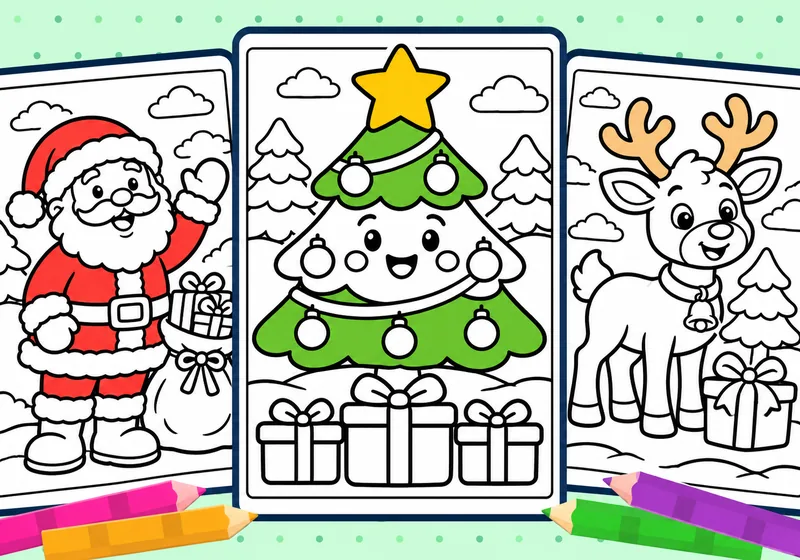
A smiling Christmas tree, a reindeer with a bell or a penguin holding a present can be the start of a quiet creative afternoon. Our 20 free Christmas coloring pages include familiar characters, decorations and snowy scenes. You can print a page, save it or open it in the online Color Studio.
The suggested age range is 4–8, but interest and comfort matter more than a number. Set out a few crayons or colored pencils and one spare sheet of paper. Invite the child to choose a picture and start with one large shape; the whole page does not need to be finished in one sitting.
Choose a picture with a comfortable level of detail
- For broad spaces: try Christmas Tree with Presents (01), Santa and His Gift Sack (02), Friendly Christmas Reindeer (03) or Penguin with a Present (15). A child can color one present, scarf or ornament and come back later.
- For repeating shapes: choose Christmas Stocking Surprise (09), Hanging Christmas Baubles (10) or Holly Wreath and Bells (18). Look for stripes, stars, circles and ribbon loops.
- For a longer session: Elf’s Toy Workshop (05), Christmas Toy Train (17) and Snowy Christmas Village (20) offer more objects to notice and small spaces to fill.
The collection also includes children decorating a tree, gingerbread friends, woodland animals singing and a gentle nativity scene. Let each family or classroom choose the pictures that fit its celebration and interests.
Print a page with all four borders visible
- Open the Christmas collection and choose one picture.
- Select Print for that page. Use A4 or Letter paper and “Fit to page”; check the preview to keep the complete rectangular border inside the printable area.
- Use ordinary white paper for a coloring session. If you want a sturdier finished picture, mount it on card afterward or check which paper weights your printer supports.
Each picture has its own Print and Save buttons. Saving a page lets you keep that image for another day; the collection is available without a ColoryBoo account.
Make a simple pattern game with the decorations
On Hanging Christmas Baubles, choose two or three colors and repeat them across the stripes or dots. Before filling the next shape, ask, “Which color comes next in your pattern?” There is no fixed answer when the child invents a new sequence. On the stocking or wrapping paper, compare a striped area with a star pattern.
Traditional red, green and gold are one option. A blue tree or a purple reindeer can work too. Leave snow and Santa’s beard white, or add a very light blue edge so the white shapes stand out.
Turn a finished picture into a Christmas card
For a small card, print the chosen image at a reduced scale, such as 50%, and check its size in the print preview. Fold a separate sheet into a card, then place the colored picture on the front before gluing it down. An adult can help trim the paper while keeping the picture’s frame intact.
Leave the inside for a drawing, a name or a short message dictated to an adult. Alternatively, display a few full-size pages as a small gallery. Invite children to explain one color choice rather than compare whose picture is best.
Tell a little story about a gift
Use Bear Wrapping Gifts (16), Penguin with a Present (15) or Santa’s Sleigh Ride (08) as a conversation starter. Ask three questions: “Who is the gift for? What might be inside? What happens when it arrives?” A child can answer aloud, draw the next scene on spare paper or ask an adult to write a few sentences.
In a classroom, children can take turns choosing a character or setting. One picture and a short exchange are enough; there is no need to complete every activity or color all 20 pages.
Try the same picture online
If printing is not convenient, select Color beside a picture to open the Color Studio. Choose a crayon and tap a closed shape to fill it, or use the brush for freehand marks. Save Picture keeps a PNG of the finished work on your device. Save before leaving the page if you want to keep it.
For a short session: choose one picture, two or three colors and one optional follow-up idea. Stop or take a break when the child is ready, and keep the unfinished page for another day.
Try it with these printable pages
- Browse all 20 Christmas coloring pages and choose a favorite.
- Explore Color, Cut & Build for a paper project after coloring.
- Visit Cute Animals for more characters to include in a story or card.